
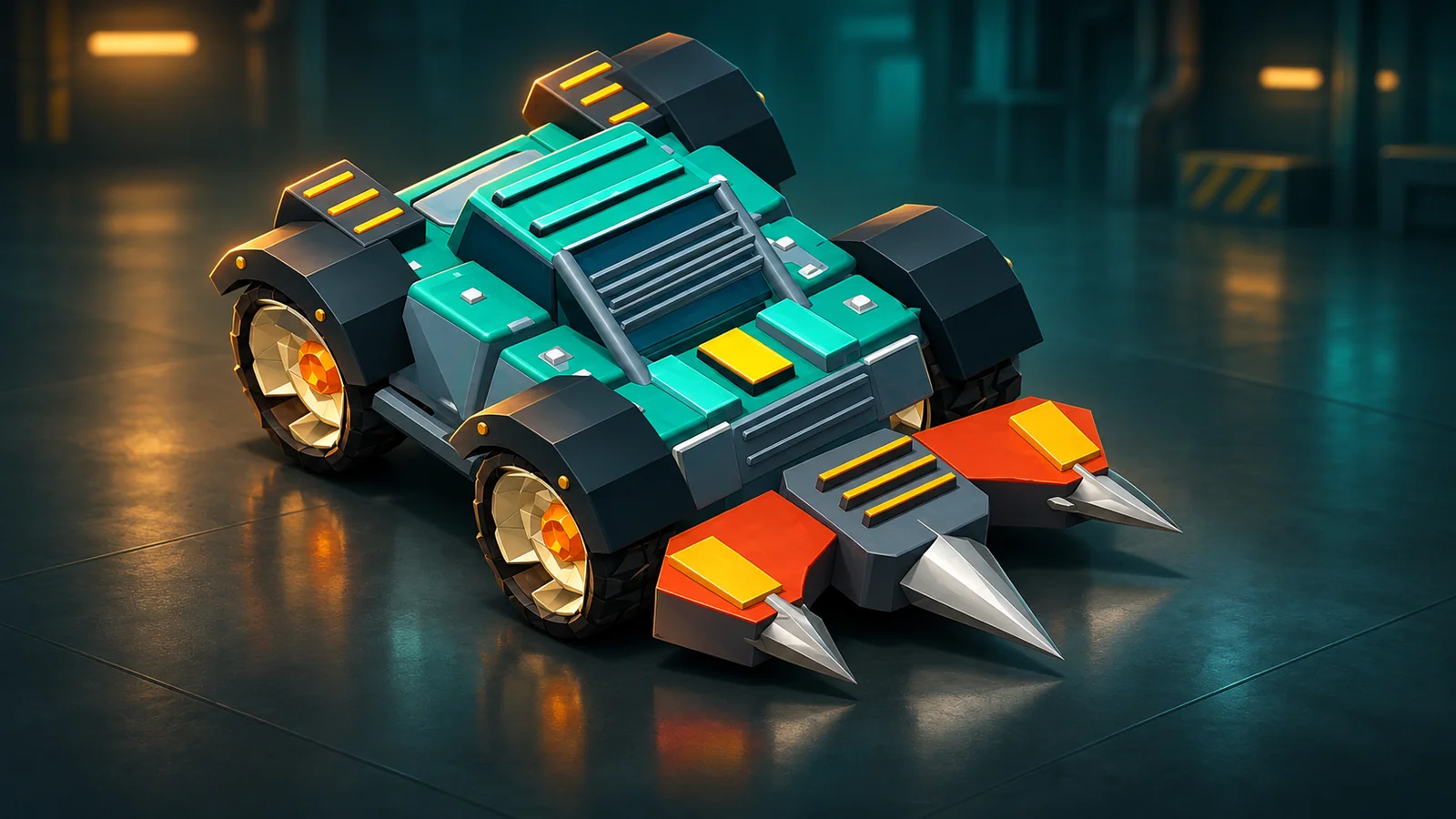
Fit a new weapon to the front, left or right, cancel an accidental mount selection and keep the weapons you want on the car.
Choose the slot before the pickup
Tinker has three mount cards along the bottom of the screen. Tap Front, Left or Right, or press 1, 2 or 3 on a keyboard. A gold highlight identifies the selected mount. The next new weapon you collect goes there, even when it means replacing the part already fitted. Tap the same card again to clear the preference. With no preference the game uses the first open mount in front, left, right order.
What happens with a duplicate
A pickup matching a weapon already on the car always counts toward its upgrade. Choosing Left and driving over spikes while spikes are on the nose adds a spike copy to the nose. The left mount stays selected for a different kind of weapon.
Build for the pass you like
For an easy loadout to learn, leave the starting rack on Front and select Left before taking a disc saw. You can meet a crossing target with the nose, then turn alongside another car with the blade on its flank. Watch the mount labels when swapping sides so the next pass brings the working part into contact.
Predict the result before crossing the pickup
Read the three mount cards from left to right along the HUD. Their labels are Front, Left and Right. Now identify the item on the road as spikes, saw or flipper. Ask two questions in order. Is that weapon type already fitted somewhere? If it is new to the car, which card has the gold selection? Answering the first question before the second is what lets you predict the result. A duplicate follows the mounted weapon wherever it is, while a new kind looks at your slot choice.
Picture the opening car with just a front spike rack. With no selection, another spike increases the total on Front. A saw is a new kind, so it goes on Left, the first open card. A flipper collected next would go on Right. If you wanted that saw on the right flank to match the direction you like to circle, pressing 3 before the saw pickup would reserve the right slot instead. The remaining slot would then be available for the flipper.
Understand how long a selection lasts
A deliberate slot selection remains highlighted until you clear it, use it for a new fitting, choose another slot or lose the car. Driving over a matching pickup can advance its weapon while leaving the old preference waiting for something else. You may have tapped Front a few seconds earlier, then taken a duplicate saw and forgotten about the highlight. Look at the card before the next unfamiliar item. A highlighted occupied slot is a decision to replace that fitting.
If the selection was accidental, tap the same slot or press the same number again to clear it. You can also select another card to transfer the preference. A useful habit is to glance at the highlight after each fitting notice. If the notice says a weapon gained copies, expect your selection may still matter. If it says a new weapon was fitted to the selected mount, the preference has been used and the highlight clears.
Move a weapon to a different side within a heat
The available controls choose a destination for a future pickup. They do not slide an installed part from one side of the car to another. Suppose you have a left saw and front spikes and want the saw on Right. If you select Right and take another saw immediately, Left receives the copy. Instead, the saw needs to leave its current mount before a loose saw will count as a new fitting.
One way to arrange that swap is to select Left and take a flipper while you have none fitted. The flipper replaces the left saw. Select Right next and take a saw. That new pickup fits on Right with the copy progress already earned for saws during this heat. You now have spikes on Front, a flipper on Left and a saw on Right. There is a temporary interval without the saw, so attempt the rearrangement with enough room and time to find both loose parts.
Choose a flank to suit a particular road
Imagine entering the open outer road with a rival just ahead and to your left. A left saw can work if Tinker travels along the rival’s right side. A right saw in the same position projects toward the empty section of track. You could go around the other side of the rival or wait until the next crossing. Knowing your fittings in advance lets you choose the appropriate side of the approach before traffic blocks that option.
A flipper can be placed on an opposite flank for encounters that develop on that side. Its upward contact works when the plate faces the car it reaches, even at a mount other than Front. A starting rack kept on Front offers another option when an opponent crosses your nose. Having three tools gives you a distinct response on three faces. It also increases the width and mass to account for when you take a narrow route between scenery.
Decide whether replacing an occupied mount is worth it
A new weapon placed on a selected occupied slot immediately replaces the part there. A replaced part is removed from the car. If it was the saw you were relying on, you will need to find another loose saw to use it again. Its earned copies remain part of your heat progress, which makes recovering the ability possible without starting the upgrade sequence over. Compare the time needed to locate that replacement with the time left on the clock.
For example, with fifteen seconds left and a five-copy saw currently on Front, a loose flipper directly ahead may be an awkward accidental swap. Clear the preference or choose an open flank before collecting it. Early in a fresh heat, the same replacement could be a deliberate experiment to put the saw on a preferred side later. The choice depends on the next few encounters rather than the number of icons currently showing on the bottom panel.
Read your fittings immediately after a wreck
The returning car begins with a front rack and clears any previous mount selection. A left thumb still driving toward the old route does not preserve a preferred slot through the wreck. Set it again before taking the first new weapon if you intend to rebuild the same layout. A familiar side will usually be easier to use during the first encounter than recovering the correct weapon type on whichever slot happened to be open.
An easy final drill is to describe three actual pickups in advance. Say where a duplicate spike will go, where a new saw will go, and what would happen if you selected the occupied Front card for a flipper. Then cross the items and compare the notices and cards with your predictions. If a result surprises you, check whether the encountered part was already installed on a side you had overlooked. That distinction explains most apparently misplaced fittings and keeps a busy salvage run under your control.
Check a card after the final upgrade
A mount displaying MAX already holds the highest tier of its weapon. A matching item can stay on the ground because the fitted weapon cannot take another copy. Changing the selected slot does not turn it into a spare copy on a different side. If your goal was simply to keep the maxed weapon available, leave the fitting in place and aim for a different pickup.